

1.How do I submit my documents and complete KYC?
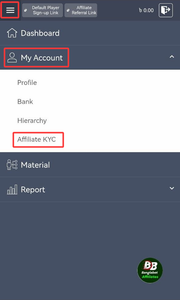
2. Go to My Account → Affiliate KYC.
3. Pick your ID (passport, driver’s license, or national ID).
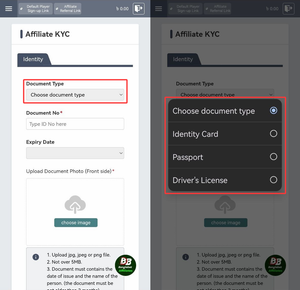
4. Enter your ID number.
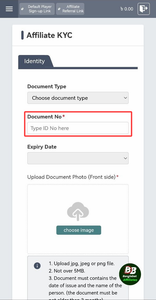
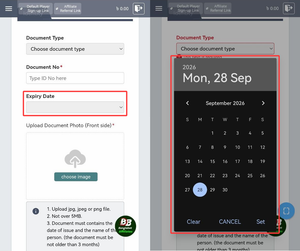
5. Add the expiry date.
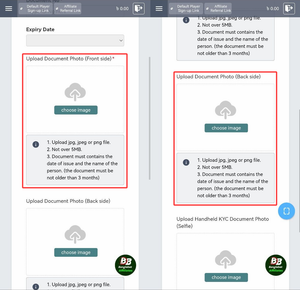
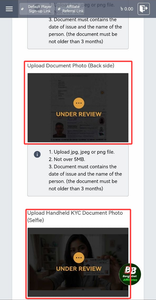
6. Upload ID photos (front + back for national IDs).
👉 Rules: Must show name + issuance date, valid within 3 months, jpg/jpeg/png only, max 5MB.
7. Snap & upload a selfie holding your ID (face + ID must be clear).
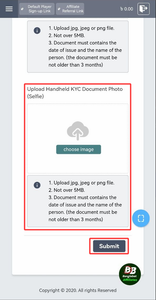
8. Hit Submit. You’ll get an email once approved or if corrections are needed.
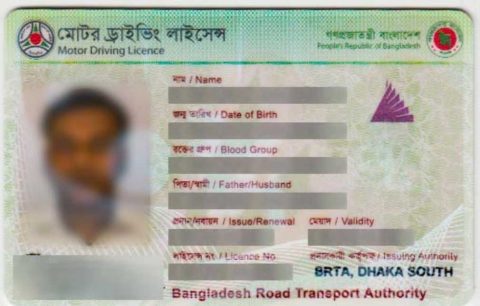
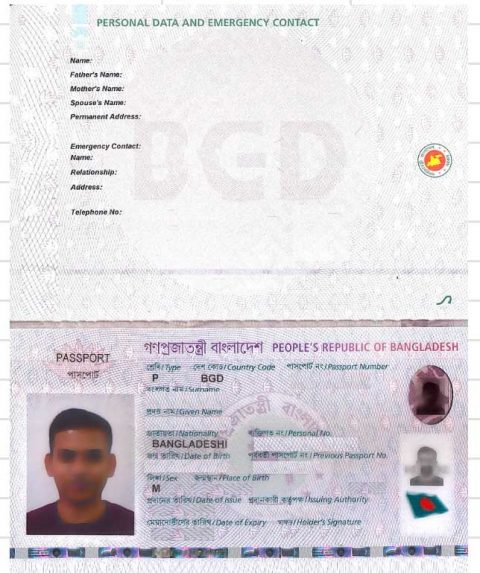
These sample documents may be uploaded to approve your KYC.
1. Sample National Identity Card
Front Side

Back Side

2. Passport
3. Driver’s License